


Home > Spotify Music Tips > Spotify Video to MP4
Convert Spotify Video to MP4: Podcasts & Music Videos in HD

Spotify video podcasts and music videos have transformed how we consume content on the platform. From in-depth video interviews on popular shows like "The Joe Rogan Experience" to official music videos and Canvas loops for your favorite tracks, these visual elements add a whole new dimension to streaming. However, Spotify restricts video content to in-app playback — even Premium users can't easily download videos for offline use outside the app, and content availability can change by region or over time.
If you're looking to convert Spotify video to MP4 for permanent offline access, HD playback on any device, or even basic editing, you're in the right place. In this guide, we’ll cover the process of converting Spotify video content to MP4, without quality loss, so you can keep your favorite episodes and music videos on hand without the need for an internet connection.
Part 1: What Video Does Spotify Provide?
Video Podcasts
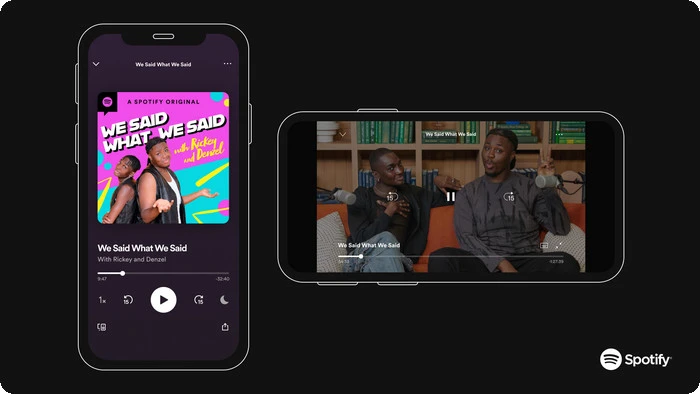
These are full-length podcast episodes with accompanying video, ranging from 10 minutes to 3 hours in duration. Many popular shows now produce video versions to complement their audio, adding a visual layer to interviews, discussions, and storytelling. Video podcasts are available to both Free and Premium users, though Free users may encounter ads.
Music Videos
Official music videos are accessible exclusively to Spotify Premium subscribers in most non-U.S. countries and regions, including Europe, Asia, Africa, and parts of the Americas. These are full 3–5 minute clips linked directly to songs, playable in the Now Playing view. Unlike Canvas, music videos are designed for full-screen viewing and are the most sought-after content for MP4 conversion.
Spotifiy Canvas
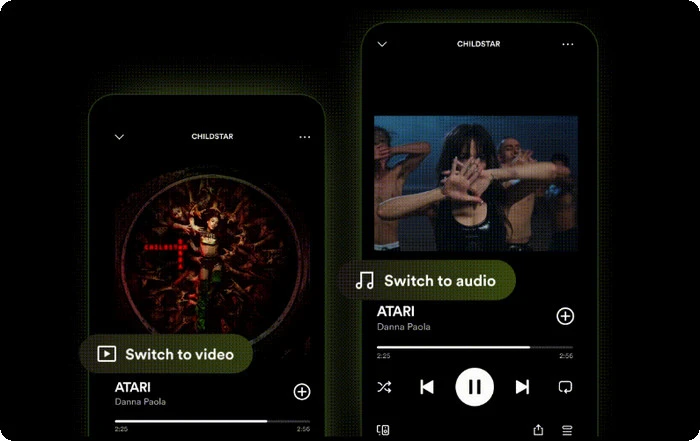
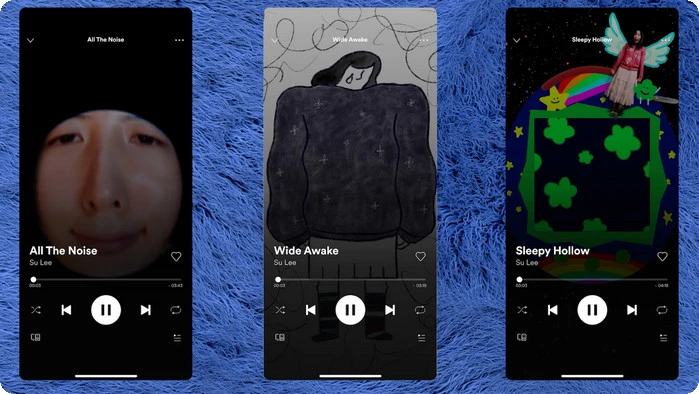
Short looping visuals (3–8 seconds) that play on the Now Playing screen while a song streams. Canvas is purely decorative and cannot be downloaded or converted to full MP4 files, even with third-party tools. Clips, another short-form video type (15–90 seconds) found on artist pages, are also unavailable for download and restricted to online streaming.
Part 2: Why Convert Spotify Videos to MP4 Format?
Converting Spotify video podcasts and music videos to MP4 format offers several significant advantages. Here are some reasons why users choose to download and convert their Spotify content:
✔️ Permanent Offline Access: Convert Spotify videos to MP4 to have permanent offline access to your favorite shows, music videos, or podcasts. Without relying on an internet connection, you can enjoy content while traveling or during long commutes.
✔️ Playback on Non-Spotify Devices: Once in MP4 format, you can play videos on devices that don’t support Spotify, such as VLC, Windows Media Player, or smart TVs.
✔️ Editing and Clipping: MP4 files are easier to edit and clip. You can create compilations, trim sections for sharing, or simply store videos for later viewing.
✔️ HD Quality: When you convert Spotify videos to MP4, especially through premium services, you can retain high-quality resolution (up to 1080p for supported content).
Part 3: Best Methods & Tools to Convert Spotify Video to MP4
Method 1: All-in-One Solution with NoteCable Spotify Converter
NoteCable Spotify Converter is a trusted, professional tool with over 10 years of proven expertise in music and video downloading. It allows both Spotify Free and Premium users to effortlessly download and convert Spotify tracks, albums, and playlists into premium lossless formats, including MP3, WAV, AAC, FLAC, AIFF, and ALAC — preserving original audio quality for crystal-clear playback. Additionally, it offers seamless support for video podcasts and music videos, letting you archive content and extract high-fidelity audio (or save the full video as MP4), making it a complete offline solution for Spotify enthusiasts.
Unlike many other converters, NoteCable saves you valuable time with its unique ability to process audio tracks and video podcasts simultaneously, storing everything in your preferred format. No need to worry about lengthy content — thanks to its powerful 10× ultra-fast conversion speed, even large playlists, long podcasts, or video episodes download and convert in a fraction of the time.
NoteCable Spotify Converter
How to Download Spotify Videos to MP4 in HD with NoteCable?
Step 1Download NoteCable on Your Computer
Download the NoteCable Spotify Converter from the official website and install it on your computer. It will prompt you to log in to your Spotify account on the pop-up Spotify web player.
Step 2Download Music Videos (If Provided)
💡 Note: When downloading videos, please ensure that you have an active Spotify Premium subscription to access this feature.
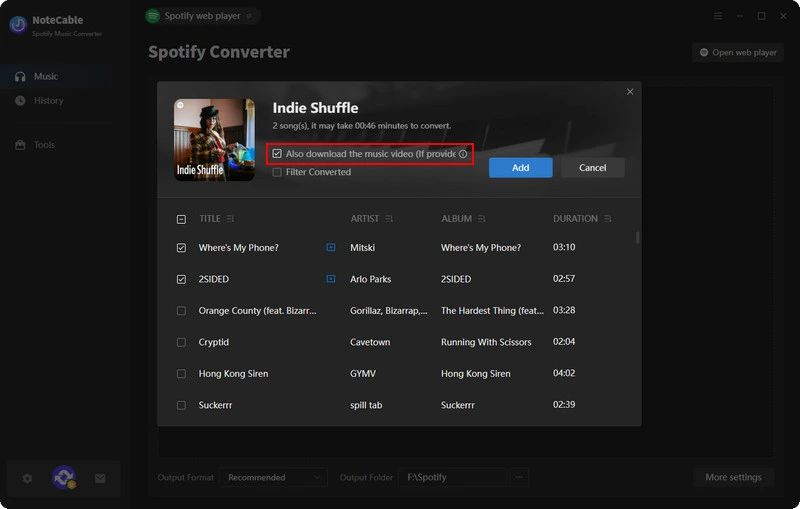
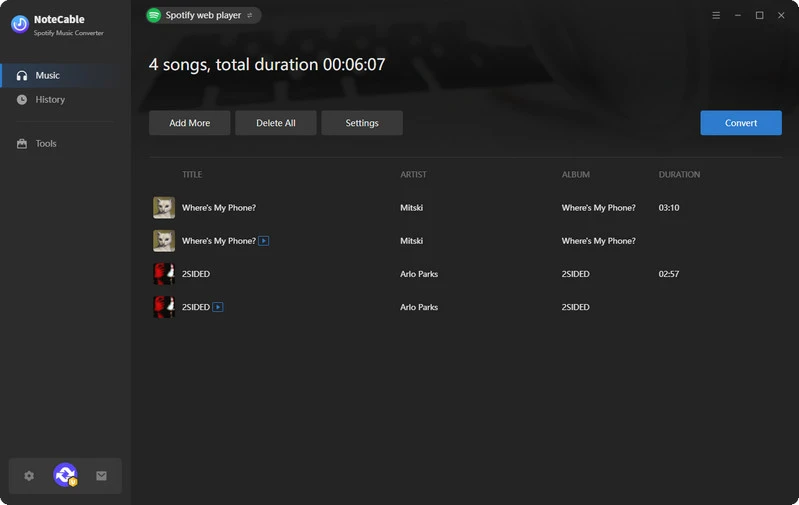
For music videos, beneath the song title in the conversion panel, you'll see an option that says: Also download the music video (if provided). Simply check this option to ensure the music video is included in the download.
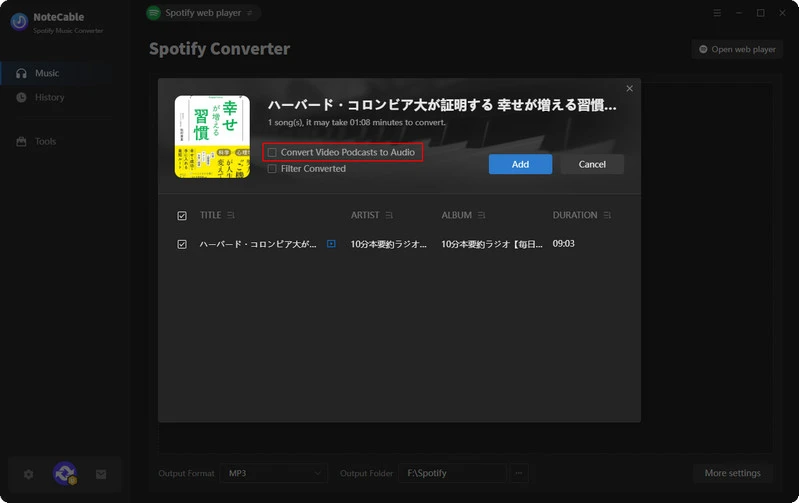
For video podcasts, you’ll see an option beneath the episode title that says: Convert Video Podcast to Audio. Make sure this option is unchecked if you want the full video download.
Step 3Choose Audio and Video Formats
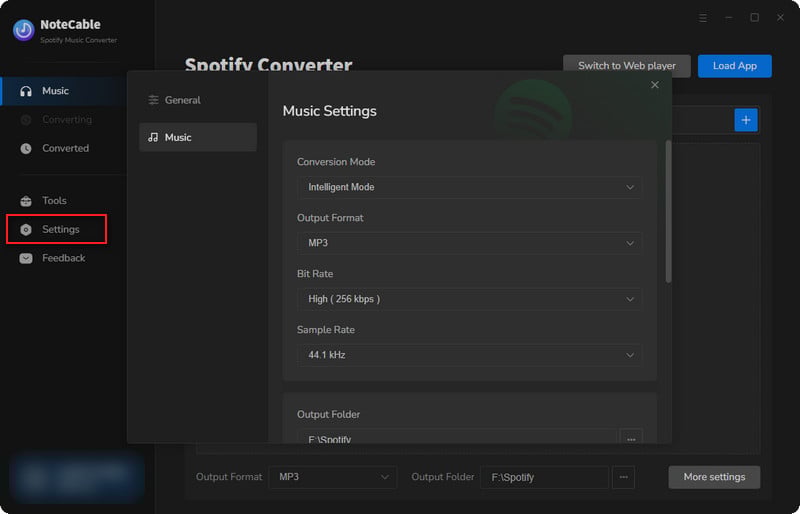
If you wish to download both audio and video, navigate to the Settings section. Here, you can select your preferred audio format (MP3, WAV, AAC, ALAC, AIFF, FLAC), while the video format is set to MP4 by default. You can also choose your desired output location to store the converted files.
Step 4Start the Conversion
Once you have configured the settings, click on the "Convert" button. The software will begin converting the selected Spotify music to the format you selected.
Step 5Access Your Downloaded Files
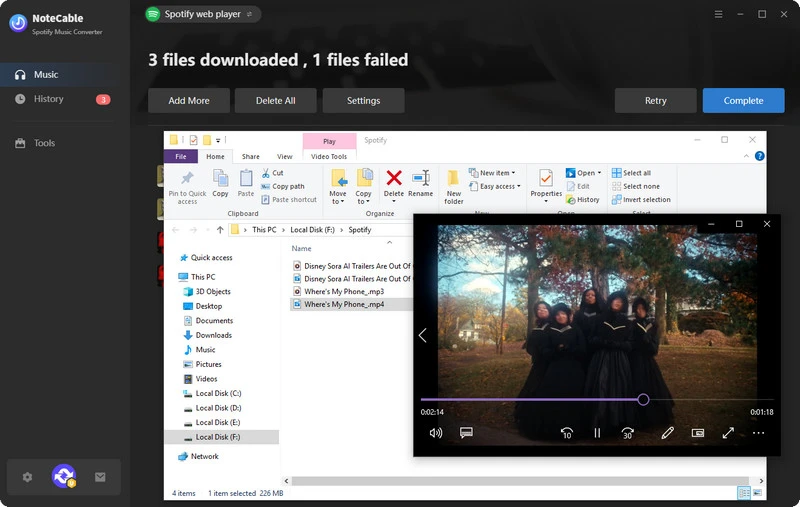
After the conversion is complete, your MP4 files will be saved in the output folder you specified. Now you can enjoy your favorite Spotify content offline, fully converted and saved on your device.
Method 2: Screen Recording as a Free Alternative
For casual users seeking a free workaround, screen recording tools like OBS Studio (free, open-source) or Bandicam (paid with free trial) can capture Spotify videos as MP4. This method involves playing the video in Spotify and recording your screen in real time.
📢Disclaimer: The tools specified in this article are exclusively for personal use and may not be used for commercial purposes or distribution.
Frequently Asked Questions (FAQ)
Q1: Why can't I just download Spotify videos directly in the app as MP4?
Spotify's built-in download feature (available to Premium users) saves video podcasts for offline playback only within the Spotify app — the files are encrypted and app-locked. You cannot export or transfer them as standard MP4 files to other devices or players.
Q2: Is It Legal to Download Spotify Videos to MP4 with NoteCable?
Downloading for personal, offline use generally falls under fair use in many regions, but always respect Spotify's terms and copyright laws. Avoid redistribution.
Q3: Do I need a Spotify Premium account to convert videos to MP4?
Yes, in most cases. Spotify restricts video podcasts and music videos to Premium users only (free accounts typically get audio-only). Third-party tools require logging in with a Premium account to access and download video content.
Q4: Can I Download Spotify Canvas into MP4 with NoteCable?
No, NoteCable Spotify Music Converter does not support downloading Spotify Canvas as MP4. Canvas is a unique feature on Spotify that consists of short, looping visuals that accompany audio tracks. These visuals are not full video files, and as such, they cannot be converted or downloaded as standard video files like music videos or video podcasts.
Conclusion
To sum up: while converting Spotify content to MP4 is not natively supported by official channels, reliable third-party solutions, NoteCable Spotify Converter, enable seamless conversion of Spotify video podcasts and music videos into high-definition (HD) MP4 format. This unlocks cross-device accessibility to your favorite content, free from platform-specific restrictions, aligning with key user needs for flexible offline viewing.
Always ensure that converted files are used solely for personal, non-commercial purposes to comply with copyright laws and Spotify’s terms of service.

