


Home > Guide > Download Ringtone for Free
Free Download Ringtone for Android & iPhone [Sites & Apps]

The search for free ringtones can lead to confusing sites or format errors. To save you time, we’ve done the research. Our focus here is on simplicity and safety. You’ll discover curated platforms that offer free, high-quality tones compatible with your device. Whether you prefer using a dedicated app or downloading directly from a website, we outline the best options. Finally, clear instructions for each operating system will help you bypass common pitfalls and successfully set your new ringtone in just a few minutes.
- Part 1. Free Ringtone Download Apps
- 🟢 NoteCable Spotify Ringtone Downloader
- 🟢 Sidify All-In-One Streaming Ringtone Downloader
- 🟢 Ringtone For iPhone
- 🟢 Ringtone Maker
- Part 2. Free Ringtone Download Websites
- 🟣 Zedge.net
- 🟣 Prokerala.com
- 🟣 Pixabay.com
- 🟣 Freetone.com
- 🟣 Chosic.com
- 🟣 Macmost.com
- 🟣 Tones7.com
- 🟣 Mixkit.co
- Part 3. How to Set Ringtones on iPhone & Android
- Part 4. FAQs
- Part 5. Summary
Part 1. Free Ringtone Download Apps
🟢 NoteCable Spotify Ringtone Downloader
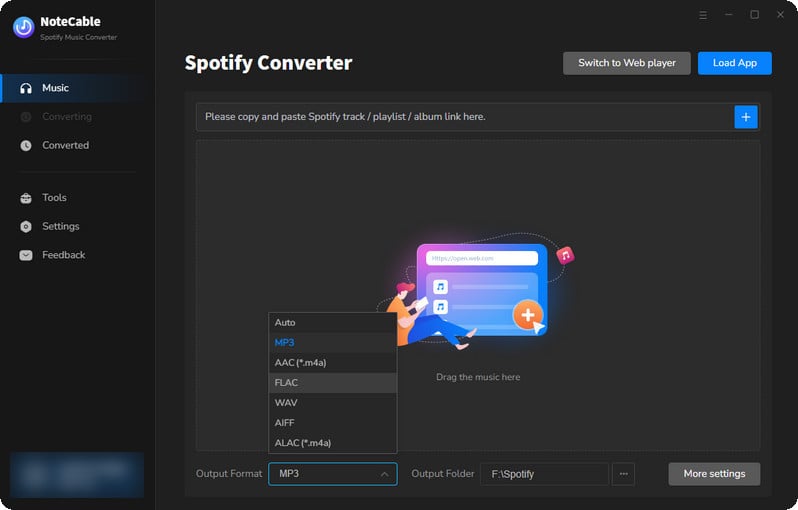
Tailored for users looking to craft custom ringtones from Spotify tracks, NoteCable forgoes direct ringtone export. Instead, it enables lossless downloads of full Spotify audio files, then lets users trim desired segments into ringtones via its built-in editor. Supporting a wide range of output formats (MP3, AAC, WAV, FLAC, AIFF, and ALAC), it ensures seamless cross-device compatibility. A go-to solution for dedicated Spotify users who prioritize high-fidelity, personalized ringtone creation.
🟢 Sidify All-In-One Streaming Ringtone Downloader
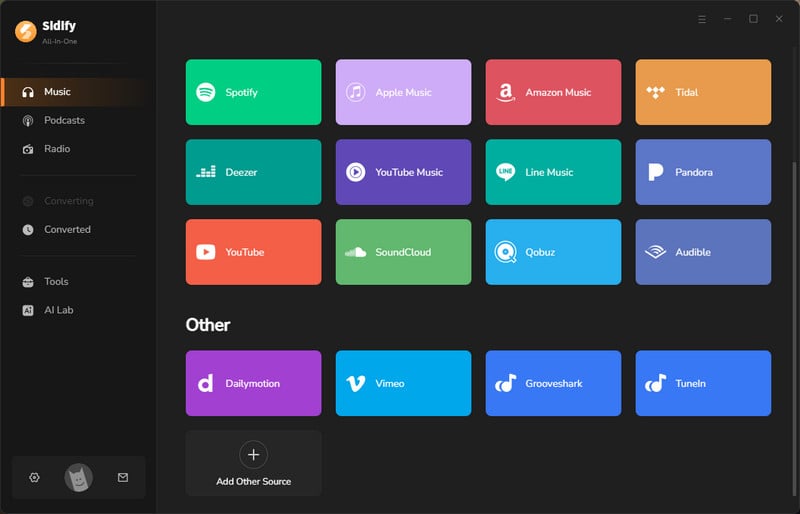
Sidify All-In-One Streaming Ringtone Downloader is designed to extract audio from 17+ streaming platforms, including Spotify, Apple Music, Amazon Music, Tidal, and YouTube Music. It offers high-speed downloads with built-in ringtone clipping, ensuring audio is captured in lossless quality. Users can easily select precise segments and export ringtones in various popular formats, making it ideal for those seeking quick, high-quality ringtones from their favorite platforms. Perfect for multi-service listeners who want tailored, high-fidelity ringtones without the hassle of switching between apps.
🟢 Ringtone For iPhone
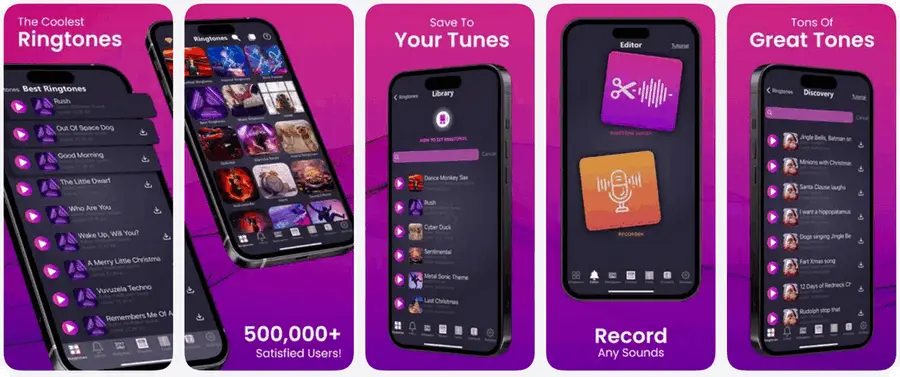
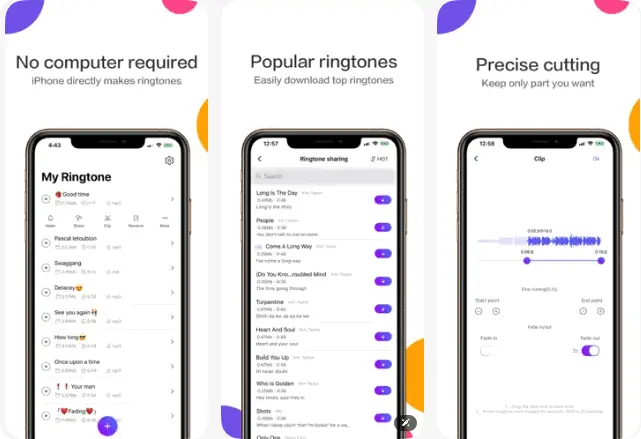
Ringtones for iPhone is a mobile-focused tool for quick, on-the-go ringtone creation. It offers a built-in library of pre-made tones, plus tools to trim audio from your iPhone’s music library into custom clips (no computer needed). It supports direct export to your device’s ringtone list, with formats optimized for iOS. A handy pick for casual iPhone users prioritizing convenience over advanced editing.
🟢 Ringtone Maker
Ringtone Maker simplifies 30-second ringtone production for iPhone, supporting clip creation from local audio files, on-the-go recordings, or built-in sound effects. To set your custom clip as a system ringtone, integration with GarageBand is required (detailed in Section 3), but the app includes foundational fade-in/fade-out capabilities to ensure polished results. Free to use with non-intrusive ads, it satisfies the ringtone needs of most users, with a premium subscription option to remove ads and access a broader range of exclusive sound resources.
Part 2. Free Ringtone Download Websites
🟣 Zedge.net
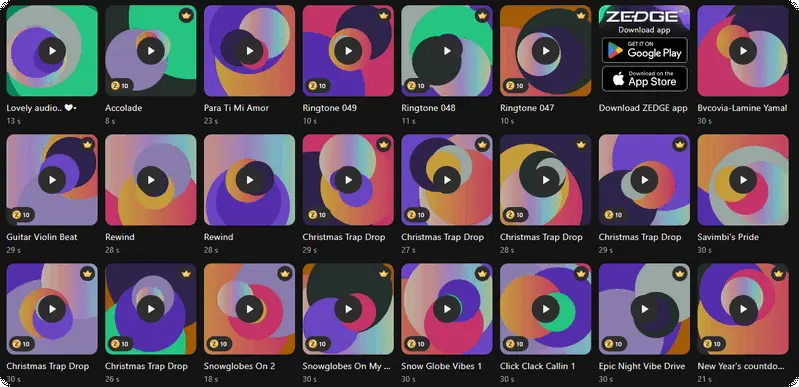
Zedge’s ringtone hub stands out as a top choice for Android and iPhone users, boasting a vast library of free and premium tones spanning trending hits, Christian melodies, holiday themes, niche sound effects, and user-curated gems. With intuitive genre/category filtering and direct device downloads, it simplifies finding and saving ringtones, while the ad-supported free tier covers everyday needs—premium upgrades remove ads and unlock exclusive, high-quality content for deeper personalization.
🟣 Prokerala.com
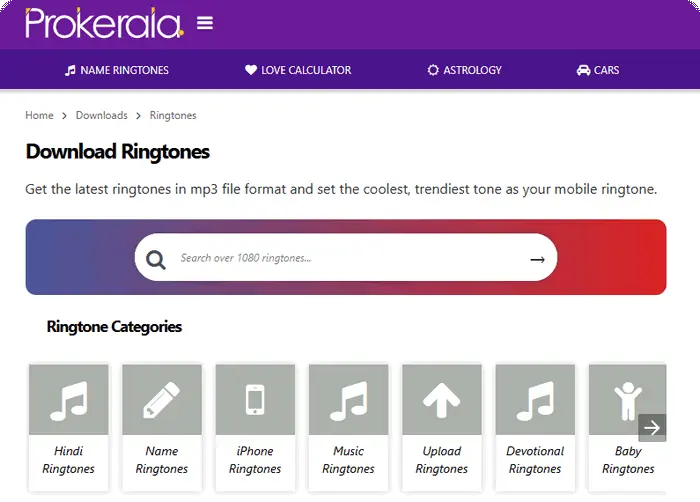
Prokerala’s ringtone download platform offers free MP3 ringtones—over 1100 options like original iPhone/Nokia tones and devotional tracks—for all phones. No sign-up is needed for downloads, and users can upload under 2MB MP3s. It also shares tips for picking personality-reflecting, non-irritating ringtones, catering to young mobile users.
🟣 Pixabay.com
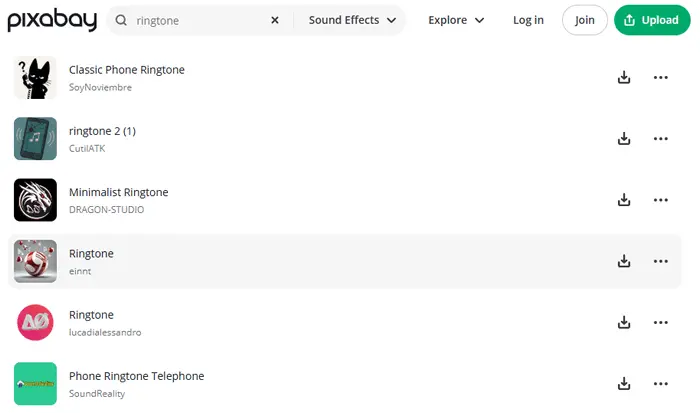
Pixabay offers 523 royalty-free ringtones and sound effects, including classic, minimalist, and normal phone tones from creators like Universfield and SoundReality. These assets are free for projects, covering ringtones, notifications, and call sounds, providing a convenient resource for users seeking diverse, rights-cleared audio options.
🟣 Freetone.com
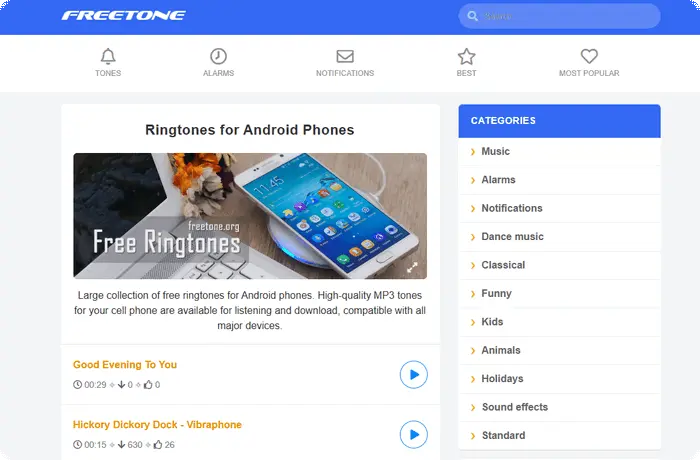
FreeTone is a go-to platform for free, high-quality ringtones, boasting a constantly updated, extensive library with thousands of options. It covers diverse categories—from trending songs, classical music, and electronic dance tracks to funny tones, animal sounds, Indian music, and AI-generated melodies. Also offering notification sounds, alarms, and brand-specific tones (for Samsung, iPhone, etc.), it lets users easily personalize their mobile devices.
🟣 Chosic
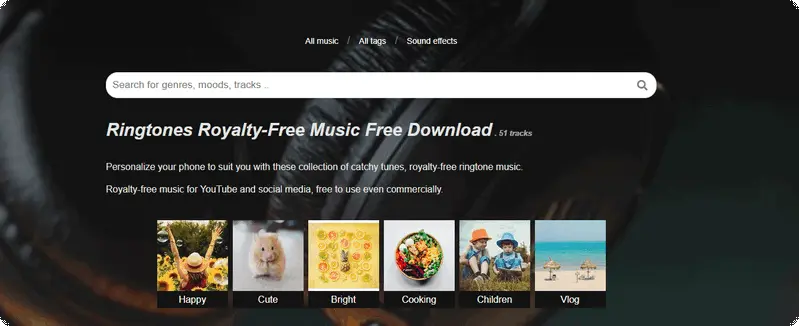
Similar to Pixabay, Chosic also centers on providing royalty-free ringtones and supports free usage. Notably, Chosic’s assets are eligible for commercial applications such as YouTube content and social media projects. Both platforms deliver convenient, copyright-cleared audio solutions to cater to users’ needs for device personalization and creative endeavors.
🟣 Macmost
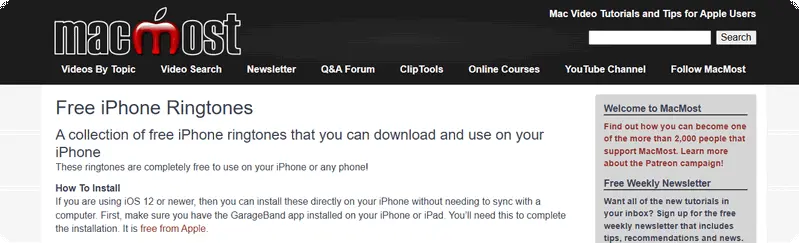
Boasting an extensive library of free, multi-format (MP3/M4R) ringtones for iPhones and other devices, it covers unique themes like African Safari, Island Paradise, Zen Tones, and sci-fi iPhone3000. Tailored to diverse tastes—from cat/dog lover tunes to Bach/Mozart classical snippets—it also includes alarm-specific sounds.
🟣 Tones7
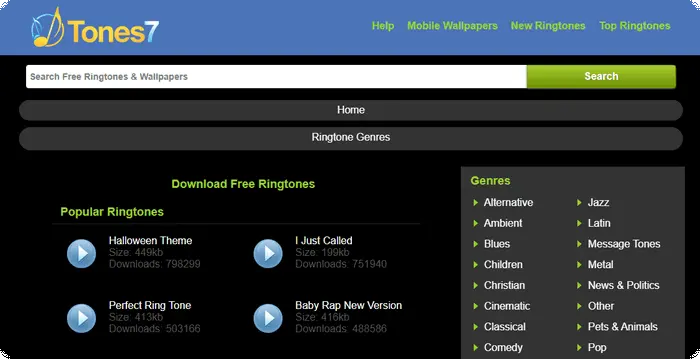
This website offers a library of completely free ringtones for download. The service is supported by advertisements, ensuring no direct cost to users. Visitors can explore popular ringtone charts and are encouraged to provide feedback, such as using Google Follow buttons or commenting, to help the site expand its content.
🟣 Mixkit
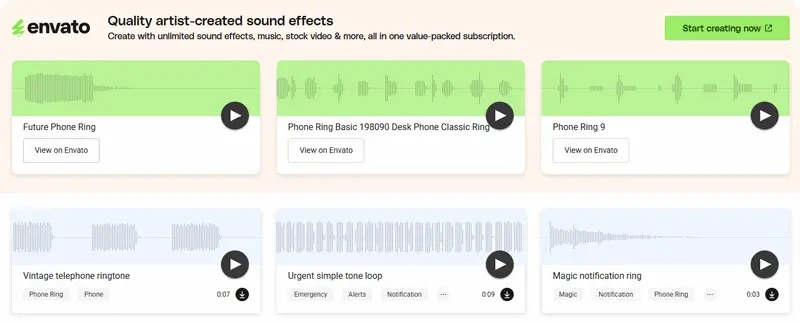
A library of high-quality creative assets, Mixkit offers royalty-free stock videos, music, and sound effects. The platform provides a selection of 13 free phone ring sound effects, from vintage to modern tones, ideal for adding authentic audio to video projects or YouTube content. All assets are free to download and use in projects under its straightforward Mixkit License.
Part 3. How to Set Ringtones on iPhone & Android
Above are the top ringtone downloaders for Android and iPhone, but not all tools support direct import to your device. So this section will guide you through setting up downloaded ringtones step by step. To use them, you must manually transfer the files to your device. This process varies significantly between Android and iPhone. iPhone setup is less direct, requiring specific steps. The following section guides you through this process.
Set Ringtones on Android (e.g, SamSung)
Step 1 Download your preferred ringtones from the apps or websites mentioned above, then transfer the files to your device via USB or Bluetooth.
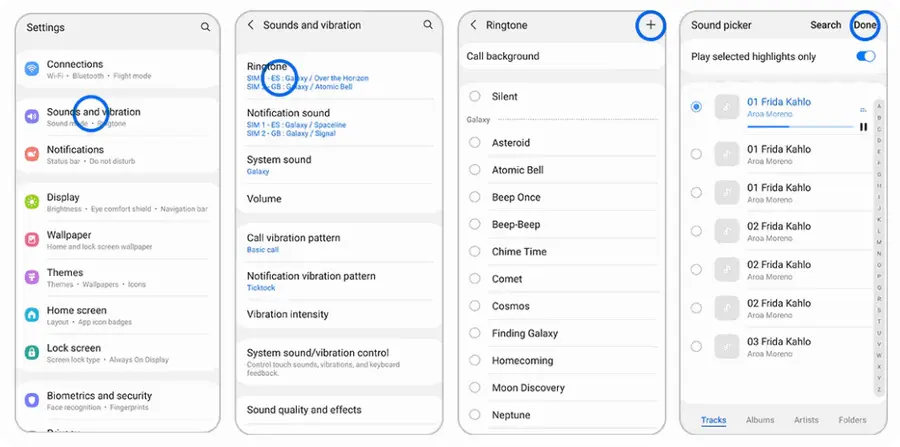
Step 2 Once the audio file is saved to your phone, access your device’s Settings and select "Sounds and Vibration".
Step 3 Tap "Ringtone", then choose "SIM 1" or "SIM 2" (single-SIM devices will only display "SIM 1").
Step 4 All available ringtones on your device will appear on-screen—tap the "+" icon to add your custom music file.
Step 5 Select the desired audio file for use as your ringtone, then tap "Done" to finalize the setup.
Set Ringtones on iPhone (Require GarageBand Downloaded)
Since iPhones only recognize ringtones in M4R format (maximum 30 seconds and not protected by DRM), and most downloaded audio files (such as MP3s) or streaming music (which is encrypted) do not meet these criteria, GarageBand is a free official tool that can help you convert audio to a format compatible with iPhone ringtones. Therefore, GarageBand is the simplest and most convenient built-in solution to easily set custom ringtones.
🚩Prerequisites: The GarageBand application must be installed from the iOS App Store.
Step 1 Launch GarageBand, start a new Audio Recorder project, and tap the "Tracks" button.
Step 2 Open the Loop Browser, select your desired audio file, and drag it into the Tracks view. Ensure the file is not protected or grayed out.
Step 3 Tap the imported audio clip in the timeline. Drag the left and right edges of its frame to select the exact segment for your ringtone.
Step 4 Save the project to "My Songs". Select it, tap the "Share" button, choose "Ringtone", name it, and tap "Export".
Step 5 After export, tap "Use sound as". Select "Standard Ringtone" to set it as your default call sound.
Step 6 Alternatively, choose "Assign to Contact" from the same menu to link the new tone to a specific contact.
Part 4. FAQs
Q1: My downloaded ringtone isn’t showing up on my iPhone/Android. What should I do?
For iPhone: Ensure the file is in M4R format (use online converters if needed) and sync via GarageBand or iTunes.
For Android: Move the MP3 file to the “Ringtones” folder in internal storage—restart your device if it still doesn’t appear.
Q2: Can I use TikTok/YouTube videos as ringtones?
Yes. The apps/websites listed in Part 2 and 3 that offer “video to ringtone” conversion (e.g., Ringtone Maker app, Zedge.com). Ensure you have the right to use the video content (non-commercial use only).
Q3: Can I set different ringtones for different contacts?
Sure. For iPhone: Open the "Contacts" app, select the contact, tap "Edit" > "Ringtone", then choose your custom ringtone.
For Android: Open "Contacts", select the contact, tap the three dots (menu) > "Set ringtone", and pick your downloaded ringtone. This feature helps you identify important calls without checking your phone.
Q4: My ringtone disappears after updating my phone’s OS. How to fix it?
Operating system updates may sometimes reset sound settings or move custom ringtone files. Please check the "Ringtones" folder in your internal storage – if the files are missing, please re-download them and place them back into that folder. After adding the ringtones again, please restart your device to ensure the system can detect them.
Part 5. Summary
In summary, customizing your phone’s ringtone—whether for iPhone or Android—doesn’t have to be complicated. By using the curated resources and troubleshooting tips here, you can easily find, download, and set unique, high-quality free ringtones that match your style. If you desire to rip the tracks from the streaming platform, NoteCable and Sidify might be your most reliable picks. One-click conversion ensures you get your favorite streaming songs on your device effortlessly.

