


Home > Spotidown Alternative
Best 5 Spotidown Alternatives to Convert Spotify to MP3
 By
By
Tried using Spotidown to download Spotify songs, only to find that the tool suddenly stopped working and couldn’t be fixed, or that the audio quality of Spotidown just isn’t satisfying. If you’re in this situation, you may want to look for a more stable Spotidown alternative that can reliably convert whole Spotify playlists into better-sounding MP3 files, allowing you to sync to iPod, transfer to DJ software, or use on a USB drive.
This guide introduces 5 Spotidown alternative that let you convert Spotify to MP3 for free, with better stability and higher audio quality.
Part 1: Complete Review of Spotidown: Pros & Cons
Website: spotidown.co | spotidown.app
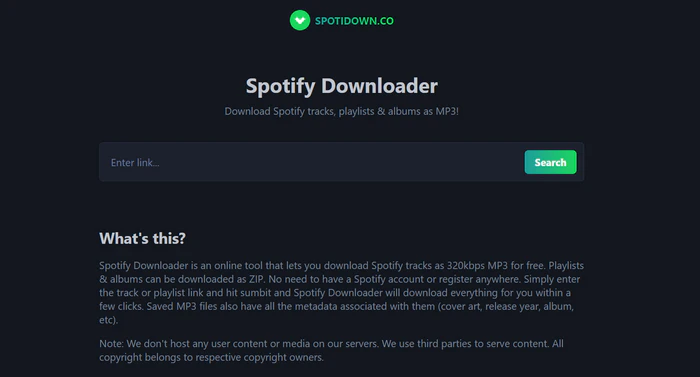
Spotidown is a free online tool to download Spotify songs and playlists as MP3s. You can simply paste a Spotify playlist link into Spotidown without logging into your Spotify account. There is no need to install any software, so it is fast and easy to use. It allows you to download entire playlists as ZIP files. Free users can download up to 100 songs as a ZIP file. If the playlist is larger, you need to make a donation to unlock premium access. Premium offers faster download speeds and supports playlists with up to 2666 tracks. The pricing is flexible, starting from $5 for 2 days of premium.
It also supports metadata customization, including track name, artist, album, release date, and playlist index, and allows you to download track covers. However, there are some limitations. The audio quality is different from the lossless quality on Spotify. It does not reach real 320kbps MP3. It sounds more like it is recorded from YouTube music videos.
Part 2: Best 5 Spotidown Alternative to Download Spotify Playlists
SpotMate
Website: https://spotmate.online/en1
Download Format: MP3, FLAC
Download Quality: 128-320kbps
ZIP Download: Yes
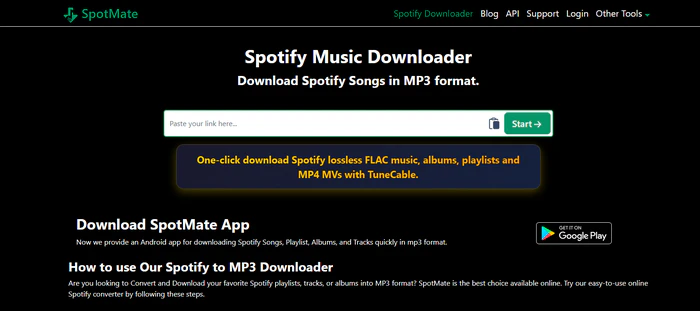
SpotMate is an online tool that allows users to download music from Spotify by simply pasting a Spotify track, album, or playlist link into the site. It works without Spotify account login or installing any software, which avoids directly sharing account information, but this does not guarantee complete safety.
In its free version, SpotMate supports downloading individual tracks as MP3, and users need to download songs one by one rather than in full batch. For users who choose to pay or donate to support the service, around 5 dollars per 31 days can unlock additional features such as better music quality like 320kbps MP3 or FLAC, batch downloading playlists or albums as ZIP archives, and faster download speed. Overall, SpotMate is designed for convenience and ease of use, especially for casual or occasional downloads.
SpotDown
Website: https://spotdown.org/
Download Format: MP3, WAV, FLAC, AAC, AIFF, or ALAC
Download Quality: 128-320kbps
ZIP Download: No
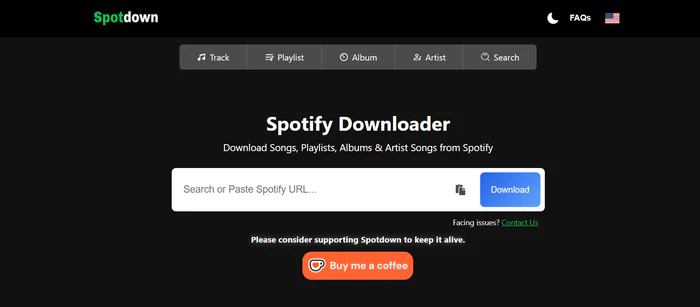
SpotDown is a web-based Spotify downloader that allows users to search for songs by keywords or simply paste Spotify URL to generate download options. It works directly in the browser without Spotify login or any apps installation. SpotDown supports downloading songs to MP3 individually, and also offers a "Download All Songs" feature that enables users to download the whole playlists in one go. This batch download option supports multiple audio formats, including MP3, WAV, FLAC, AAC, AIFF, and ALAC. The interface is simple and easy to use, with a search bar and download buttons. However, free single-track downloads can be slow and often come with ads or redirects. Using the “Download All” feature is faster and much more convenient.
SpotiSaver
Website: https://spotisaver.net/
Download Format: MP3, TXT
Download Quality: 128 kbps
ZIP Download: Yes
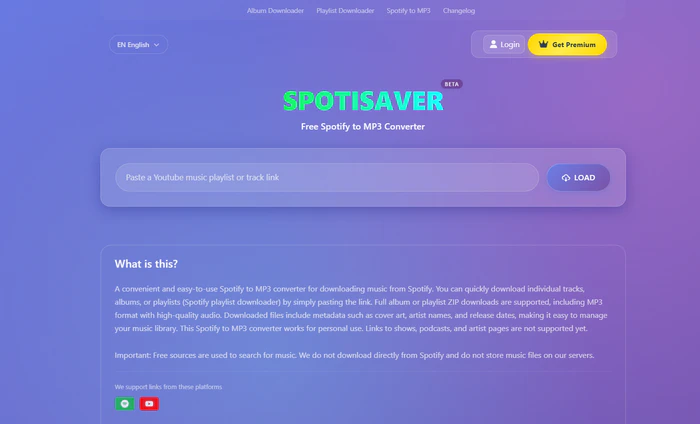
SpotiSaver is an online music downloader that allows users to convert Spotify links into MP3 by simply pasting a track, album, or playlist URL into the site. It also supports YouTube links and often relies on matching audio from YouTube or other external sources rather than downloading directly from Spotify. Users can download individual tracks or entire playlists as ZIP files, and exported files usually include metadata such as track name, artist, album cover, and release date. The tool requires no installation or account login, but free users are limited to one playlist at a time with up to around 100 tracks. Since the audio is sourced externally, the quality may be lower or quieter compared to Spotify, making it more suitable for casual use rather than high-quality listening.
SpotDL
Website: https://spotdl.github.io/spotify-downloader/
Download Format: MP3, M4A, OPUS
Download Quality: 128-256 kbps
ZIP Download: No
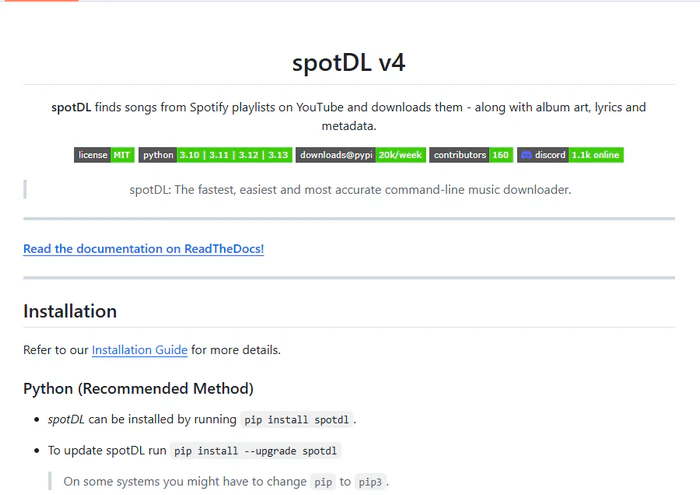
SpotDL is a free and open-source tool that lets you download music from Spotify by matching songs with audio from YouTube. You just paste a Spotify track, album, or playlist link, and it will download the songs to your computer. It supports formats like MP3 by default, as well as OPUS, M4A, and others, and it keeps basic metadata such as song title, artist, and cover art. It is mainly used through the command line, so it is more suitable for users with some technical experience. Since it uses external sources, the audio quality depends on what is available and may not be the same as Spotify.
⭐ Part 3: NoteCable Spotify Downloader (320kbps MP3 & Batch Download) ⭐
Notecable Spotify Downloader
Website: https://www.notecable.com/
Download Format: MP3, AAC, WAV, FLAC, AIFF or ALAC
Download Quality: 320kbps MP3 & up to 24-bit lossless
ZIP Download: No, but supports batch downloading playlists to a local folder
NoteCable Spotify Downloader is a desktop tool that allows users to download and convert Spotify songs, albums, and playlists to a local computer in formats such as MP3, AAC, WAV, FLAC, AIFF, and ALAC. It supports batch download at up to 40x speed, making it efficient and convenient to convert large playlists or even an entire music library at once. NoteCable retains Spotify lossless quality, including 320kbps MP3 and up to 24-bit lossless output, while preserving complete metadata such as cover art, title, artist, album, and more.
As a locally installed application, it provides a safe and stable conversion without ads or pop-ups. Users can permanently keep Spotify downloads permanently, and freely transfer or sync the music to other devices such as iPods, USB drives, MP3 players, or even basic phones.
NoteCable Spotify Converter
How to Download Spotify to MP3 in Lossless with NoteCable?
Step 1Download and Launch NoteCable
Download and install NoteCable Spotify Converter from the official website. After launching the program, log in to your Spotify account via the built-in Spotify web player.
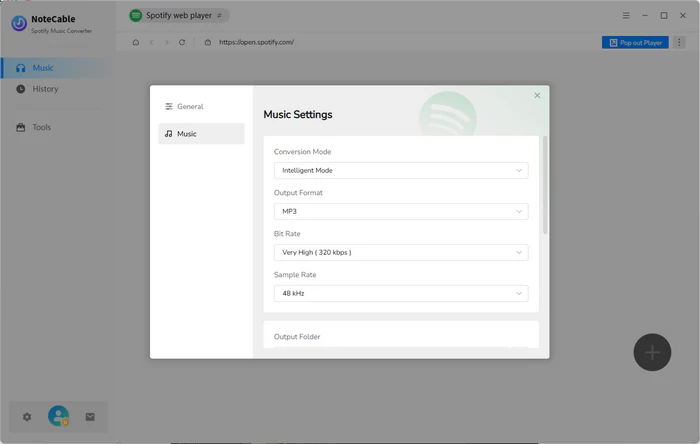
Step 2Make Output Settings
Go to Settings and customize the download output:
Output Format: MP3
Bit Rate: 320kbps
Sample Rate: 48kHz
Step 3Add Spotify Playlist
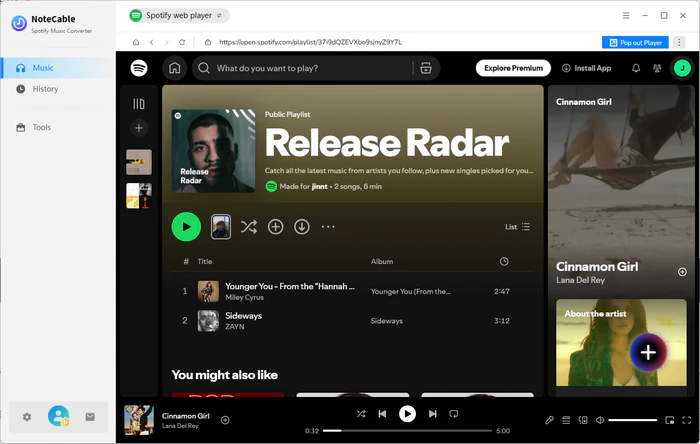
Open a Spotify playlist, then click “Click to Add” in NoteCable. The tool will automatically parse and load all songs from the playlist.
Step 4Select Songs and Start Conversion
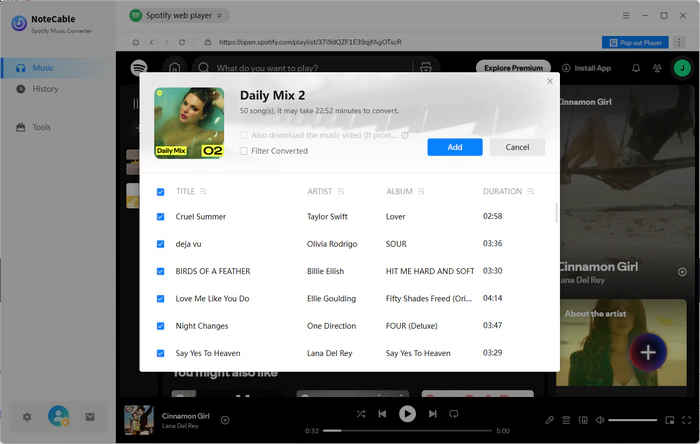
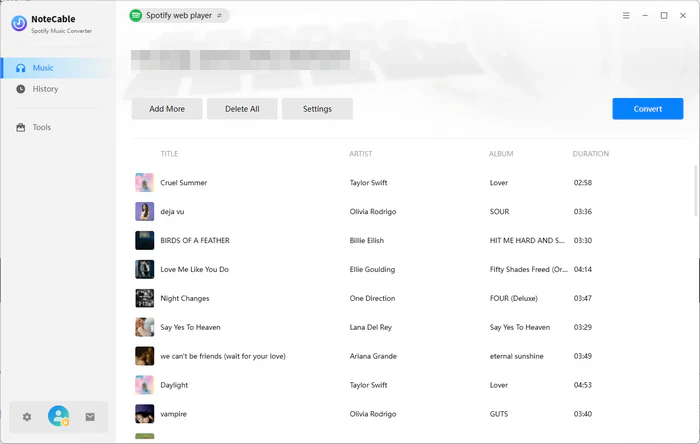
Choose the entire playlist or select specific tracks. Click the Convert button to start downloading and converting Spotify music to MP3.
Step 5Find Downloaded MP3 Files
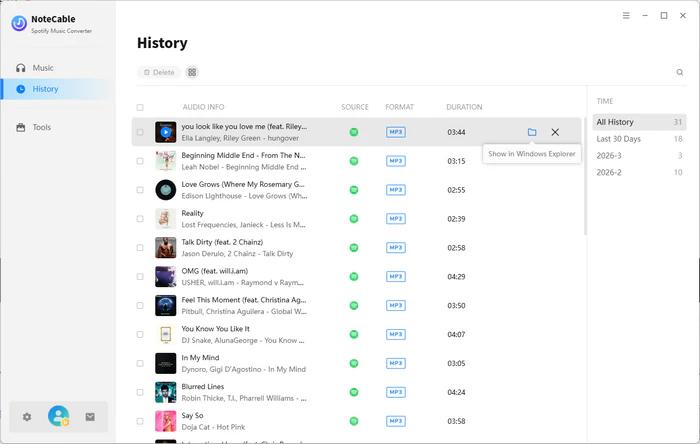
Once the process is complete, go to the History tab. You can locate all downloaded Spotify songs saved as MP3 files on your computer.
📢Disclaimer: The tools specified in this article are exclusively for personal use and may not be used for commercial purposes or distribution.
Frequently Asked Questions (FAQ)
Q1: Is Spotidown safe?
Spotidown is generally safe to use. The website does not require Spotify account login and does not involve sharing personal credentials. It also has no ads, redirects, or suspicious pop-ups during use. Overall, it works as a simple and convenient online tool for basic music downloading.
Q2: Is Spotidown legit?
Spotidown does not download encrypted audio directly from Spotify. Instead, it finds matching audio from external sources such as YouTube and records them into MP3s. If used for personal use or learning purposes only, it is generally considered low risk, though users should still be aware of local copyright regulations.
Conclusion
In summary, downloading Spotify music as MP3 in lossless quality with NoteCable is a straightforward process that only takes a few steps. By configuring the output settings properly and converting playlists in batch, users can efficiently save high-quality audio files for offline use. Compared to many online tools, NoteCable offers better stability, faster conversion speed, and more reliable audio quality.
Whether you want to transfer music to an MP3 player, use it for DJ software, or simply keep Spotify tracks permanently, NoteCable provides a practical and user-friendly solution for building your local music library.
Always ensure that converted files are used solely for personal, non-commercial purposes to comply with copyright laws and Spotify’s terms of service.

