


Home > Spotify Music Tips > Get Spotify Unblocked at School
7 Ways that Actually Work to Unblock Spotify at School

Getting Spotify blocked at school is frustrating—especially when you just want to study, relax, or focus with your playlists. If you search for spotify unblocked for shcoll of lead to a flood of mixed solutions, from various VPNs to proxy tools. The problem is, spotify unblocked often have different readson use different types of restrictions. What you actually need is a clear way to identify why Spotify is blocked, choose the right fix for your situation, and avoid wasting time or money. In this guide, we break it down with 7 methods that actually work, starting from the simplest, most cost-effective options and moving up—so you can quickly find the right way to get unblocked spotify access without trial and error.
Part 1. Why Spotify is blocked: Real Reasons?
Reason 1: Network Restriction
When you connect to a school Wi-Fi, the network administrator does two things at the router or firewall level. One is DNS filtering: it resolves open.spotify.com to a non-existent IP address, so the request from your device simply disappears. Another is IP blocking: Spotify uses specific IP ranges and ports to transmit audio, but the school firewall directly drops these packets. In campus networks, the blocking method is usually a combination of a DNS blacklist and content category filtering.
Reason 2: Device Restriction
If you are using a school Chromebook or other devices provided by the school, these devices are usually locked down by administrators. In this case, no matter which network you use, you won’t be able to access Spotify. School Chromebooks, iPads, and similar devices are managed through MDM (Mobile Device Management), where administrators remotely push configuration profiles that directly block the installation or use of specific apps, and even hide them from the app store.
Part 2. Proven 7 Ways to Get Spotify Unblocked
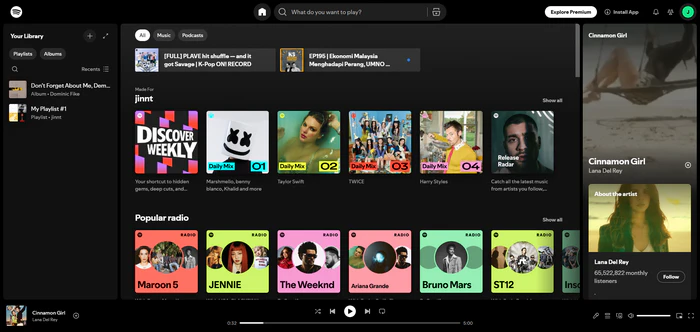
Method 1: Use Spotify Web Player
Spotify app traffic has distinct characteristics. It uses proprietary protocols and specific ports (such as 4070), which makes it easy for firewalls to detect and block. In contrast, the Spotify Web Player delivers content over standard HTTPS , just like regular web traffic, making it much harder for content filtering systems to identify and restrict. Spotify Web Player is completely free to use and requires no installation at all. In terms of functionality, it is very similar to the app: you can search, explore recommendations, access to Spotify playlists and library, and view listening history.
How to Get Spotify Unblocked?
Step 1. Open your browser such as chrome, Firefox, Edge, Safari or any working browser.
Step 2.Go to spotify web player: open.spotify.com
Step 3. Log in to your spotify account and start listening.
Method 2: Mobile Hotspot
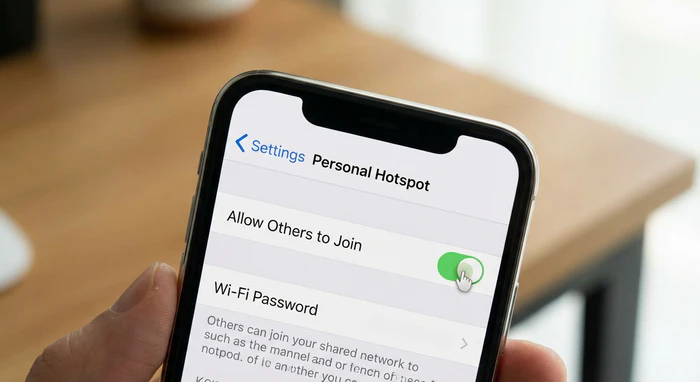
If you’re dealing with network restrictions, switching to a personal hotspot or mobile data is worth trying first. This method only works for network blocks. School firewalls can only control devices connected to campus Wi-Fi. Once your laptop or tablet connects through personal phone, it can usually bypass Wi-Fi-based restrictions.
How to Get Spotify Unblocked?
Step 1. Open personal hotspot in the settings.
Step 2. Tap "allow others to join" on.
Step 3. Connect your laptop or iPad to this hotspot via Wi-Fi.
Method 3: NoteCable Spotify Downloader
NoteCable Spotify Downloader is a desktop tool to download Spotify music to local music files. It supports converting Spotify to MP3, AAC, WAV, FLAC, AIFF, and ALAC. Once downloaded, you can truly own your Spotify music. You can play it on any devices: iPod, MP3 player, USB drive, car audio system, PS4, Android phone, iPhone, tablet, or basic local music player. NoteCable is a guaranteed way to access Spotify without restrictions, even when the network is unstable, and it allows permanent offline playback anytime.
NoteCable Spotify Music Converter
How to get Spotify Unblocked with NoteCable?
Step 1Open NoteCable Spotify Converter on your computer.
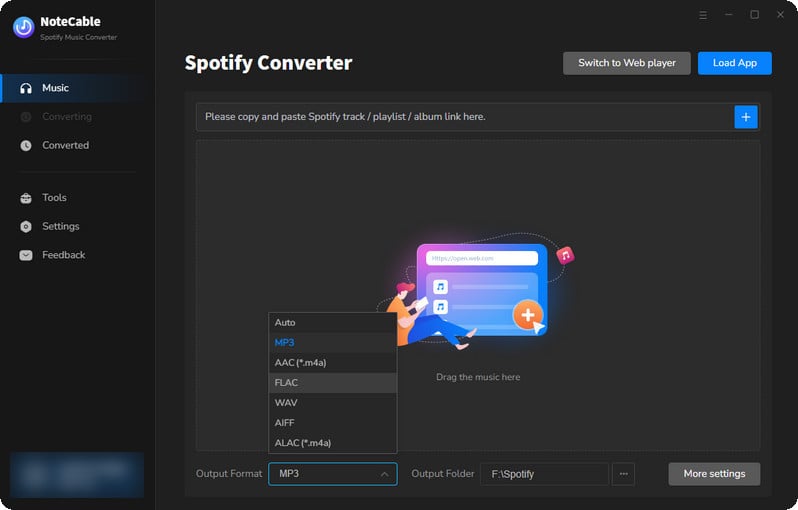
Step 2Set MP3 as the output format, as MP3 is the compatible with most devices. NoteCable download Spotify to 320kbps MP3 and retian lossless quality.

Step 3Open playlists you want to download, and click to add songs.
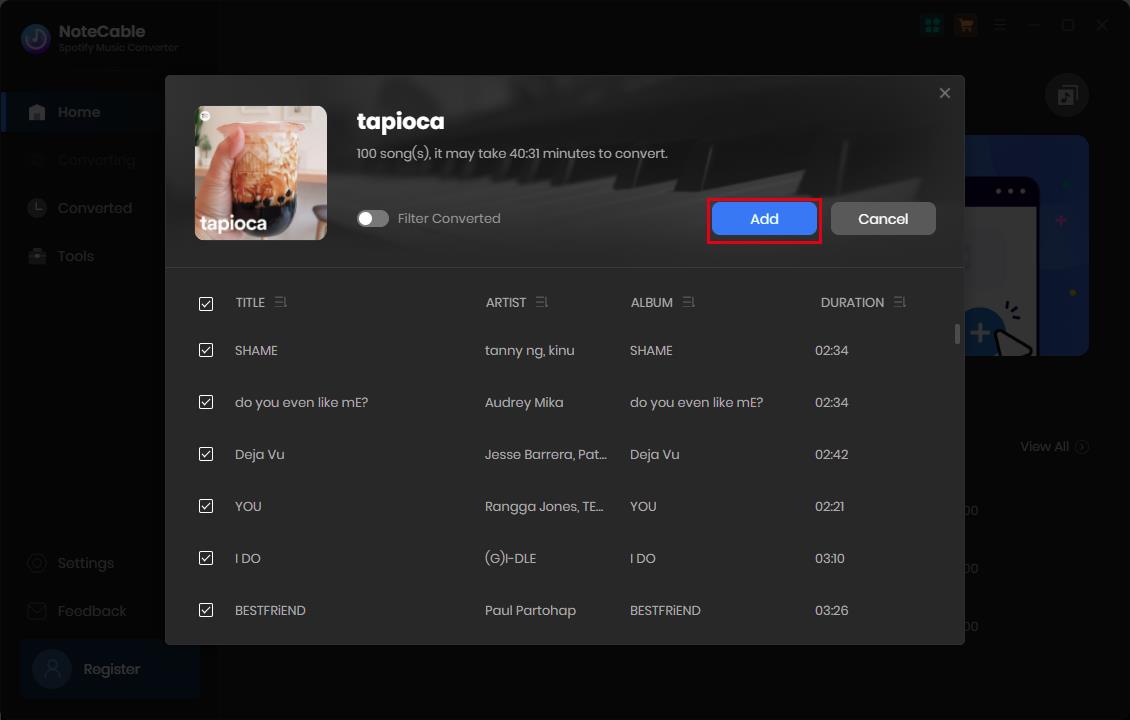
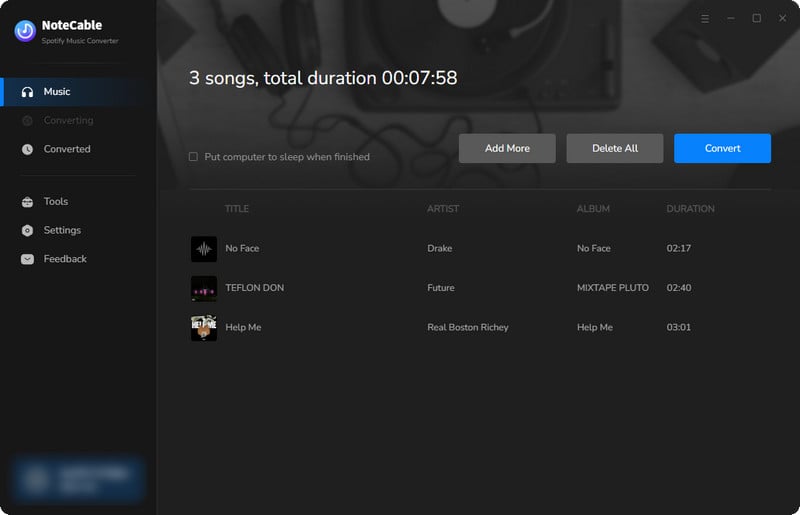
Step 4NoteCable would load playlist information so you can choose the entire playlists to batch download. After that, click the Convert button to start conversion.
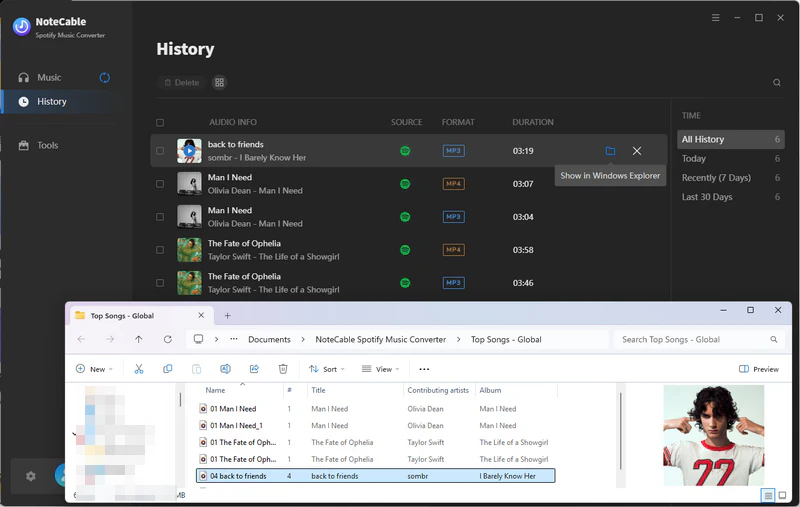
Step 5After downloaded, you can access the Spotify MP3s in the History button. Now you can transfer your music to any device for permanent or offline listening.
Method 4: Proxy
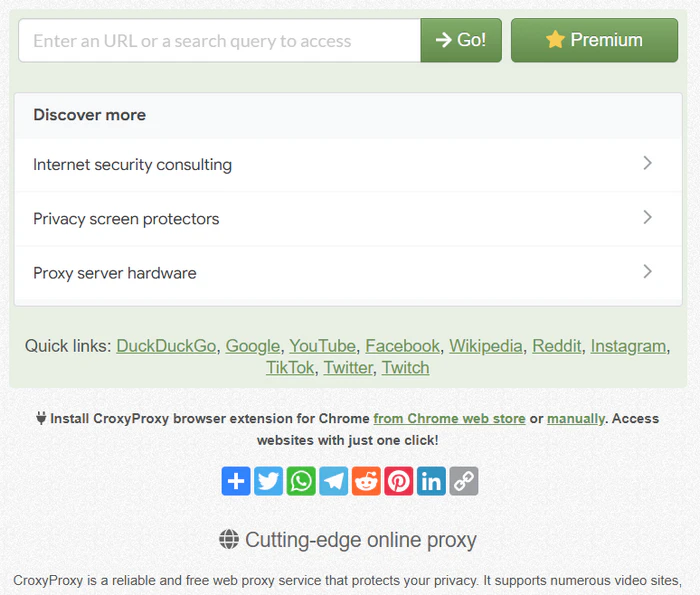
A proxy works as a middle server between your browser and the website you want to visit. Instead of connecting to Spotify directly, your browser connects to the proxy first, and the proxy loads the page for you. The main benefit of a proxy is convenience. Proxy do not require software installation, which makes them easier to try on restricted shcool chromework.
How to Get Spotify Unblocked?
Step 1. Open proxy, such as CroxyProxy, ProxySite, VPNBook Web Proxy, hide.me Proxy, or KProxy
Step 2. Enter the Spotify Web Player address:open.spotify.com
Step 3. Wait for the proxy to load the Spotify page
Method 5: VPN
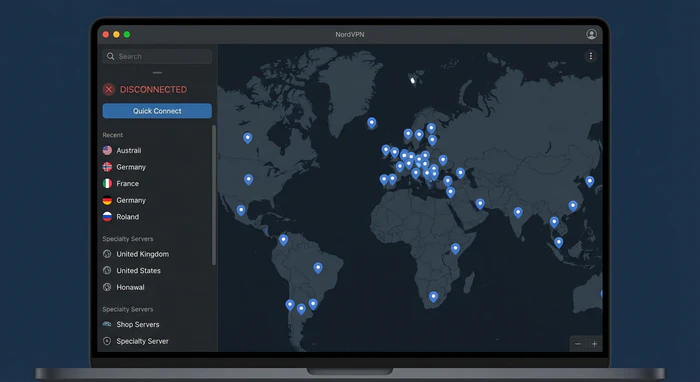
A VPN is a more complete network solution than a web proxy. Instead of only loading one website through a proxy page, a VPN routes your device internet connection through an encrypted tunnel to a VPN server. This can help when Spotify is blocked by school Wi-Fi, public Wi-Fi, or certain regional restrictions.
How to Get Spotify Unblocked?
Step 1. Choose a VPN service such as NordVPN, ExpressVPN, Surfshark, and Proton VPN
Step 2. Install the app on your phone, laptop, or tablet
Step 3. Connect to a stable server
Step 4. After the VPN is connected, open Spotify App or Web Player
Method 6: Syncios Passcode Unlocker
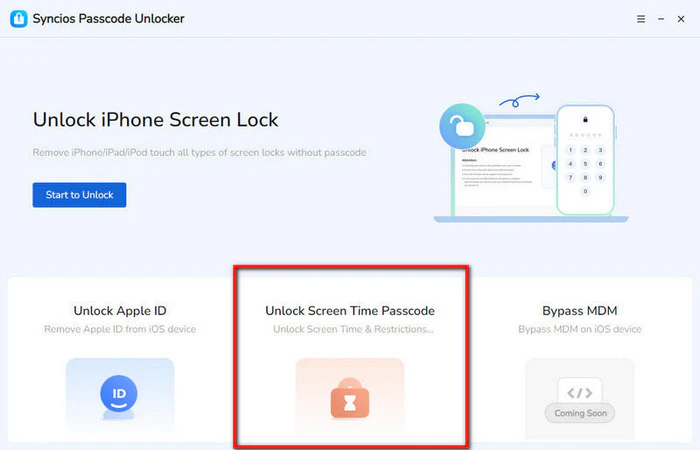
If school device is restricted by Screen Time, parental controls, or MDM (Mobile Device Management), the Spotify is still blocked even when using various proxy or VPN. In this case, you can use Syncios Passcode Unlocker, which is designed to remove different types of iOS restrictions, including Screen Time passcode, Apple ID lock, and certain device management limitations.
How to Get Spotify Unblocked?
Step 1. Download and install Syncios Passcode Unlocker on computer
Step 2. Connect your device to the computer using a USB cable
Step 3. Launch Syncios and choose Unlock Screen Time Passcode mode
Step 4. Start the unlocking process and wait until it completes
Method 7: Unblocked Music Sites
If Spotify is completely blocked, an easy alternative is to use other unblocked music sites. These web-based platforms offer a wide range of music, including indie tracks, online radio, and curated playlists, allowing you to stream directly in the browser without installing any apps. Since many of these sites are less restricted than major streaming services, they are more likely to work on school networks.
How to Get Spotify Unblocked?
Step 1. Choose an unblocked music site, such as Jamendo, LiveOne, AccuRadio, or BlueBeat. You can also check out this guide: 10+ Best Unblocked Music Sites.
Step 2. Start streaming music directly in the browser
Part 3. Frequently Asked Questions
Q1: Should I use VPN or Proxy to Spotify Unblocked?
A: VPN and Proxy are similar because both route traffic through another server and can change your visible IP. The difference is that a proxy usually works only for one browser or app, while a VPN encrypts traffic and protects the whole device. Proxies are often free or cheaper, but less stable; VPNs are safer but usually paid. For Spotify Web Player, try a proxy first; use VPN only if allowed.
Q2: How do I unblock Spotify on school Chromebook?
A: To unblock Spotify on school Chromebook, first try the Spotify Web Player in Chrome. If the app store is locked or app installation is disabled, the browser version is usually the best chance. If the Chromebook is managed by your school, VPN app, extensions, and installation-based tools may be blocked. A better option is to prepare and download Spotify to MP3s for offline listening or transferring to any device.
Conclusion
Spotify unblocked depends on the type of restriction you’re facing, whether it’s network-level blocking or device limitations. Instead of relying on random or outdated tricks, it’s better to choose methods that actually work in real situations. Start with simple options like the Spotify Web Player or a mobile hotspot to bypass school Wi-Fi. If those don’t work, Proxy or VPN can help in certain cases. However, when restrictions come from the device itself, these methods may fail.
In that case, a more reliable solution is to download Spotify. NoteCable Spotify Downloader allow you to download and save your playlists as local files in advance, so you can listen anytime without depending on school networks or device restrictions. This makes it one of the most stable and hassle-free ways to keep your music accessible wherever you are.
 Amazon Music Converter
 Spotify Music Converter
 iTunes Music Converter
 Tidal Music Converter
 Deezer Music Converter
 YouTube Music Converter
 Any Music Recorder
 Music Playlist Transfer
